Имеем идентичные настройки:
# -*- coding: utf-8 -*-
LANG=en_US.UTF-
PYTHONIOENCODING=utf8
python -c “import sys; print sys.path”
utf-8
python -c “import sys; print sys.getdefaultencoding()”
ascii
На убунте все ок, на маке юникод символы неорректно отображаются. Куда можно еще копнуть?
Как вообще перейти на utf? Чтобы было:
python -c “import sys; print sys.getdefaultencoding()”
utf-8
Полная версия: Перейти на UTF-8
Шрифт в терминале поменяйте.
Как вообще перейти на utf? Чтобы было:
python -c “import sys; print sys.getdefaultencoding()” utf-8
https://blog.hqcodeshop.fi/uploads/TerminalUTF-8locale.png
Вобще юзать iTerm2
И на маке нет проблем с юникодом.
Если уж совсем не поможет
So typing export PYTHONIOENCODING=utf-8 prior to invoking the Python interpreter does the trick, or you could just add this setting to your environment file: ~/.MacOSX/environment.plist.
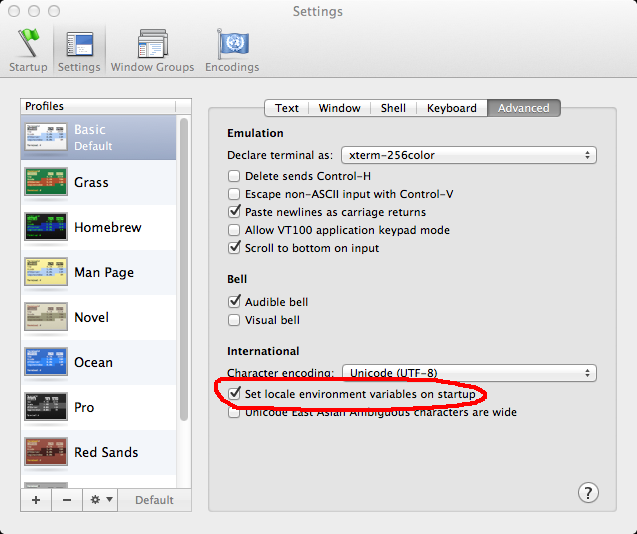
Вобще юзать iTerm2
И на маке нет проблем с юникодом.
Если уж совсем не поможет
So typing export PYTHONIOENCODING=utf-8 prior to invoking the Python interpreter does the trick, or you could just add this setting to your environment file: ~/.MacOSX/environment.plist.